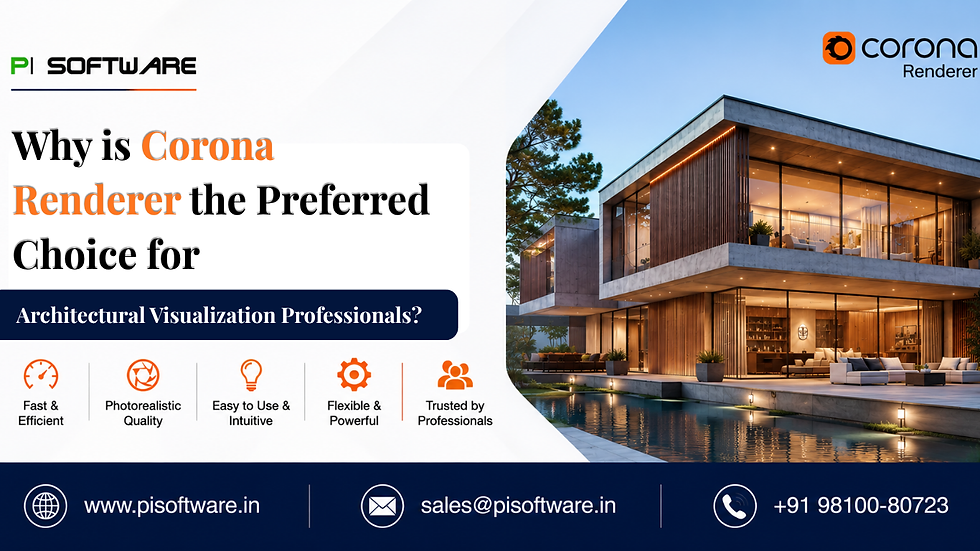
Why is Corona Renderer the Preferred Choice for Architectural Visualization Professionals?

Overview
Architectural visualization has evolved far beyond creating attractive images. Today's clients expect photorealistic renders, faster project delivery, immersive presentations, and design iterations that accurately communicate a project's vision long before construction begins.
As deadlines become tighter and visualization quality expectations rise, many architects, 3D artists, interior designers, BIM professionals, and rendering studios are re-evaluating their rendering workflows. In this competitive landscape, one engine consistently stands out in professional architectural visualization environments: Corona Renderer.
While many rendering platforms offer advanced features, buy Chaos ArchViz Conona edition it has built its reputation around a different promise, helping artists achieve exceptional realism with less technical complexity.
What Makes Corona Renderer Different?
Many traditional rendering engines require artists to spend significant time adjusting complex render settings, tweaking sampling values, balancing optimization parameters, and troubleshooting technical configurations. This overhead functions as a subtle tax on a studio's creative output.
Corona has a completely different approach. Its core philosophy focuses on:
Simplicity
Predictability
Photorealism
Faster learning curves
This workflow advantage has made Corona a preferred choice for architectural rendering teams worldwide. Fundamental workflow advantage has made it a preferred choice for architectural rendering teams worldwide looking to optimize their visual pipeline.
How Corona Renderer Improves Architectural Visualization Workflows
1. Create Natural Lighting Faster
Lighting often determines whether an architectural render appears believable or synthetic. Corona's lighting system is recognized for producing highly realistic daylight and interior illumination with minimal setup.
Using alternative workflows, calibrating the subtle global illumination bounces took multiple draft iterations.
2. Achieve Photorealistic Materials with Less Effort
Architects and 3D artists can quickly simulate realistic reflections, advanced translucency, and accurate surface responses for complex architectural finishes:
Raw concrete and micro-toppings
Textured wood grains and parquet flooring
Low-iron structural glass and smart glazing
Veined marble and natural stone cladding
Anodized metal finishes and fabrics
3. Use Interactive Rendering for Faster Decisions
One of Corona's most appreciated features is its hyper-responsive Interactive Rendering (IR).
As adjustments are made within the scene, lighting updates instantly, materials respond in real time, and camera focal changes are immediately visible.
4. Simplify Complex Scene Management
Modern architectural projects are massive data ecosystems involving detailed BIM datasets, high-polygon furniture models, intricate interior props, and dense exterior landscaping.
Corona's efficient scene handling allows professionals to manage these heavy assets without excessive technical intervention or constant software crashes.
5. Improve Post-Production Efficiency
Many rendering workflows require substantial image editing in external software after the render is complete. Corona reduces this post-production burden through its robust built-in tone mapping, exposure controls, highlight compression, and revolutionary LightMix controls.
Corona Renderer vs. Other Architectural Rendering Solutions
When evaluating your studio's creative engine, it is helpful to contrast Corona against older, more general-purpose pipelines.
Evaluation Criteria | Corona Renderer | Traditional Rendering Workflows |
Learning Curve | Low: Intuitive, artist-centric UI | Moderate to High: Technical setting dependencies |
Photorealism | Excellent: Physically accurate defaults | Excellent: But requires manual calibration |
Setup Complexity | Low: Production-ready out of the box | Higher: Requires extensive optimization |
Interactive Rendering | Excellent: Smooth, real-time feedback | Varies: Often sluggish in heavy scenes |
Material Workflow | Simplified: Advanced physical shading | More Technical: Complex nested shader nodes |
Architectural Focus | Strong: Tailored for ArchVis & Interiors | General Purpose: Built for VFX, film, and animation |
Client Revision Speed | Faster: LightMix minimizes re-renders | Moderate: Often requires complete re-rendering |
Corona vs. V-Ray: Choosing Within the Chaos Ecosystem
For firms analyzing whether to Buy Chaos Corona Premium or opt for V-Ray, it is important to realize these tools are complementary pillars within the same parent ecosystem.
Corona Renderer is highly specialized in architectural visualization and interior spaces. It provides a streamlined, curated experience that delivers photorealistic results rapidly with fewer dials to turn. It is the definitive choice for teams that want to eliminate technical friction and focus purely on design aesthetics.
V-Ray offers deep, granular technical customization across diverse industries like VFX, film, product design, and automotive visualization. If your studio requires massive pipeline integration, highly customized programmable shaders, or handle complex Hollywood-grade animation effects alongside architecture, Buy V-Ray software as it provides hyper-advanced flexibility.
Actionable Takeaways for Design Leaders
Audit Your Hidden Bottlenecks:
Track your rendering team's time for one week.
Determine how many hours are spent on actual creative styling versus technical troubleshooting, noise clean-up, and rendering setting adjustments.
Leverage Interactive Tools During Client Briefs:
Shift client reviews from static, passive image presentations to collaborative sessions.
Use interactive rendering and LightMix live to settle design debates on materials and lighting instantly.
Empower Your Visual Pipeline with PI Software
Selecting, licensing, and deploying advanced rendering software requires an understanding of hardware optimization, team capacity, and contract compliance. As an authorized technology consultant, PI Software helps architecture firms, interior design studios, real estate marketing divisions, and BIM teams integrate the right tools into their workflows.
Whether you want to buy Chaos software , deploy Chaos Corona Premium across a multi-city studio network, or audit your creative pipeline for maximum asset velocity, PI Software provides the expertise and licensing to support your business demands.
Frequently Asked Questions
1. Why is Corona Renderer popular among architects?
Corona provides highly realistic architectural renders while maintaining a simple and intuitive workflow.
2. Is Corona Renderer suitable for beginners?
Yes. Its simplified interface and automated rendering processes make it easier to learn
3. Does Corona Renderer work with BIM workflows?
Yes. Corona integrates effectively into many architectural and BIM visualization pipelines.
4. Is Corona better than V-Ray for architectural visualization?
Both are excellent solutions. Corona is often preferred for ease of use and faster artistic workflows, while V-Ray offers deeper technical customization.
5. Where can Indian design firms buy authentic Chaos Software products securely?
Pi Software assists teams with proper license configuration, contract consolidation, deployment guidance, and continuing technical workflow alignment.


Comments